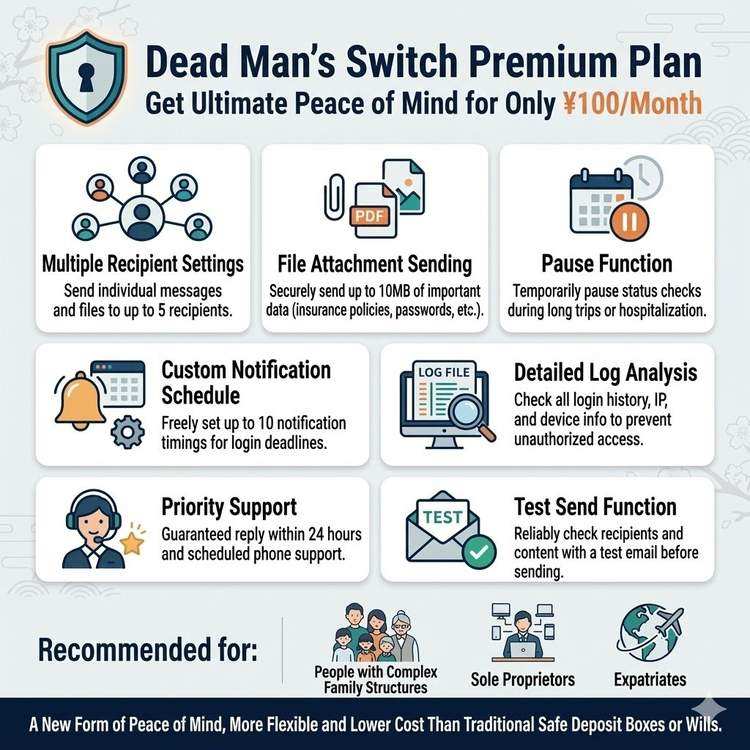
Advanced Usage with Premium Plan Features
What is the Premium Plan?
Dead Man's Switch Premium Plan is a paid subscription available for 100 yen per month. In addition to the basic features of the free plan, it offers more advanced and flexible functionality.
Pricing:
Monthly: 100 yen (tax included)
Annual: 1,200 yen (no discount)

Less than the cost of a cup of coffee for peace of mind and premium features
Premium-Exclusive Features List
Feature 1: Multiple Recipients (Up to 5)
Difference from Free Plan:
Free Plan: 1 recipient only
Premium: Up to 5 recipients

Different content can be sent to each
Use Cases:
Pattern A: Individual Messages to Family
Recipient 1: Spouse
Subject: To My Beloved Wife
Content:
· All financial information
· Message of gratitude
· Advice for future life

Recipient 2: Eldest Son
Subject: To My Son
Content:
· Business succession information
· Client list
· Father's final advice

Recipient 3: Daughter
Subject: To My Daughter
Content:
· About caring for mother
· Family history
· Things I hope you'll cherish

Recipient 4: Parents
Subject: To Dad and Mom
Content:
· Feelings of gratitude
· Reassuring message
· Request for simple funeral

Recipient 5: Best Friend
Subject: To ○○
Content:
· Shared memories
· Request to support wife
Pattern B: Information Divided by Purpose
Recipient 1: Family (General)
· Basic information
· Emergency contacts
· Funeral wishes

Recipient 2: Spouse (Financial)
· Bank accounts
· Insurance policies
· Securities accounts

Recipient 3: Business Partner
· Work handover
· Customer information
· Ongoing projects

Recipient 4: Lawyer
· Will location
· Inheritance information
· Legal procedure requests

Recipient 5: Friend (Digital Assets)
· Social media account information
· Blog management
· Online communities
Setup Method:
1. Dashboard > Settings
2. "Recipients" tab
3. Click "Add Recipient"
4. Enter email address and name
5. Enter message content
6. Save

For each recipient:
· Subject
· Body
· Attachments (can be set separately)
Feature 2: File Attachments (Up to 10MB)
Supported File Formats:
✅ PDF (insurance policies, contracts, etc.)
✅ Images (JPG, PNG)
✅ Office documents (Word, Excel)
✅ Text files
✅ Compressed files (ZIP)
Use Cases:
Example 1: Insurance Policy PDF
Subject: Insurance Contract Details

Body:
I've attached the life insurance policy as PDF.

■ Main Contract
· Insurance Company: XX Life
· Policy Number: XXXX-XXXX-XXXX
· Coverage Amount: 10,000,000 yen

Please refer to the attached PDF for details.
Instructions for making claims are included.

Attachment:
Life_Insurance_Policy_XX_Life.pdf
Example 2: Password List Excel
Subject: Important Account Information

Body:
I've compiled all important account information
in an Excel file.

The file is password protected.
Password: [noted in envelope in safe]

Attachment:
Account_Information_List.xlsx
Example 3: Family Photos
Subject: Precious Memories

Body:
I've attached photos of memories with family.
Thank you for everything.

Attachment:
Family_Photos_2024.zip (multiple photos compressed)
Example 4: Scanned Handwritten Message
Subject: Handwritten Message

Body:
I wrote down feelings that words on a keyboard
couldn't fully express in a letter.

Attachment:
Letter_Scanned.pdf
Setup Method:
1. Message composition screen
2. Click "Attach File" button
3. Select file (max 10MB)
4. Upload
5. Different files can be attached for each recipient
Feature 3: Pause Function
Use Cases:
✅ Extended travel
✅ Hospitalization
✅ Long business trips
✅ Periods when you cannot log in
How It Works:
Normal: Regular login required
 ↓
During pause period: No login required
 ↓
Automatically resumes
Setup Method:
1. Dashboard > Settings
2. "Pause" tab
3. Specify pause period
   Example: January 1, 2024 ~ January 14, 2024
4. Click "Set Pause"

After period ends, automatically returns to normal mode
Use Cases:
[International Travel]
Before departure: Set 2-week pause
→ No login needed during travel
→ Automatically resumes after return

[Hospitalization]
Before admission: Set 1-month pause
→ Peace of mind during hospital stay
→ Log in after discharge as appropriate
Feature 4: Custom Notification Schedule
Difference from Free Plan:
Free Plan:
· 3 days before deadline
· 1 day before deadline
· At deadline (24-hour grace period)

Premium:
· Fully customizable
· Up to 10 notifications
Custom Example:
Setting: Check interval 30 days

Notification Schedule:
· 10 days before deadline: 1st notification
· 7 days before deadline: 2nd notification
· 3 days before deadline: 3rd notification
· 1 day before deadline: 4th notification (urgent)
· Deadline day: Final notification
Setup Method:
1. Dashboard > Settings
2. "Notifications" tab
3. "Add Custom Notification"
4. Set notification timing
   Example: "10 days before deadline"
5. Customize notification message
6. Save
Feature 5: Detailed Log Analysis
Difference from Free Plan:
Free Plan: Last 10 logs only
Premium: All logs (unlimited)
Available Information:
✅ All login history
✅ IP addresses
✅ Devices used
✅ Login success/failure
✅ Location (approximate)
✅ Login method (normal/secure)
✅ 2FA authentication history
Usage Methods:
1. Early detection of unauthorized access
   Detect unfamiliar IP addresses

2. Understanding login habits
   Check "How many times per month do I log in"

3. Security audit
   Regular log checks for security review

4. CSV export
   Download logs for detailed analysis
Feature 6: Priority Support
Difference from Free Plan:
Free Plan:
· Email support
· Response: 2-3 business days

Premium:
· Priority email support
· Response: Within 24 hours (weekdays)
· Phone support (by appointment)
Support Content:
✅ Technical questions
✅ Setup advice
✅ Troubleshooting
✅ Customization consultation
✅ Security consultation
Feature 7: Test Send
Function:
Test whether messages will be delivered
without actually sending them
Process:
1. Dashboard > Settings
2. Select recipient
3. Click "Test Send"
4. Confirm and "Send"
5. Test email arrives at recipient
Test Email Content:
Subject: [Test] Dead Man's Switch Message

Body:
This is a test send.
Not an actual message.

[Your configured message content]

※ This content will be sent in actual delivery.
Usage Methods:
· Verify email address is correct
· Check how message appears
· Test if it goes to spam folder
· Annual periodic verification
Premium Plan Usage Scenarios
Scenario 1: Complex Family Structure
Situation:
· Spouse and 2 children
· 1 child from previous marriage
· Parents
· Want to share different information with each
Usage Method:
Recipient 1: Current Spouse
→ Information about current family
→ Detailed financial information

Recipient 2: Eldest Son (Current Family)
→ Business succession information
→ Expectations

Recipient 3: Daughter (Current Family)
→ Request to support mother
→ Personal message

Recipient 4: Child from Previous Marriage
→ Remaining child support
→ Apology and gratitude

Recipient 5: Parents
→ Reassuring message
→ Request to watch over grandchildren
Scenario 2: Self-Employed Business Owner
Situation:
· Over 100 clients
· 3 employees
· Complex work handover
Usage Method:
Recipient 1: Spouse
→ Financial information
→ What to do with business

Recipient 2: Employee A (Sales)
→ Client list (Excel attachment)
→ Ongoing projects
→ Handover procedures

Recipient 3: Employee B (Technical)
→ Server information
→ Password list
→ Technical documentation

Recipient 4: Accountant
→ Accounting information
→ Tax return materials
→ Business closure procedures

Recipient 5: Major Client
→ Successor introduction
→ Apology and gratitude
Scenario 3: Living Abroad
Situation:
· Family in Japan
· Friends locally
· Assets in multiple countries
Usage Method:
Recipient 1: Family in Japan
→ Message in Japanese
→ Japanese bank account information

Recipient 2: Local Spouse
→ Message in English
→ Local asset information

Recipient 3: Local Japanese Embassy
→ Identity verification information
→ Request to contact family

Recipient 4: Lawyer in Japan
→ Request for inheritance procedures
→ Asset list by country

Recipient 5: Local Friend
→ Funeral arrangement request
→ Request to support family
Tips for Premium Plan Usage
Tip 1: Prioritize Recipients
Highest Priority (Recipient 1):
· Most important person
· Share all information
· Person who will take action

Priority 2-3:
· Individual information
· Specific role requests

Priority 4-5:
· Supplementary information
· Things worth mentioning just in case
Tip 2: Organize Attachments
File Naming Tips:
Bad example: file.pdf
Good example: 01_Life_Insurance_Policy_XX_Life.pdf

Folder Structure:
Number by priority
01_Highest_Priority
02_Financial_Matters
03_Digital_Assets
04_Reference_Materials
Tip 3: Regular Test Sends
Recommended Frequency: Once per year

Process:
1. Test send at start of year
2. Verify delivery to recipients
3. Review message content
4. Update as needed
Tip 4: Strategic Use of Pause Function
Create annual schedule:

January: Normal
February: International travel (pause)
March-April: Normal
May: Scheduled hospitalization (pause)
June-December: Normal
Value of Premium Plan
Value of 100 Yen Per Month
Cost-Performance Comparison:
100 yen/month = 1,200 yen/year

Comparison with Other Services:
· Notarized will: 30,000-100,000 yen (creation)
· Lawyer document storage: 10,000-20,000 yen/year
· Bank safety deposit box: 10,000-20,000 yen/year

Dead Man's Switch:
1,200 yen/year for all features
+ Can update anytime
+ Guaranteed delivery
+ Send to multiple people
Peace of Mind Gained:
· Individual messages to family
· Reliable sharing of important documents
· Certain work handovers
· Flexible settings
· Comprehensive support

All this for 100 yen per month
Should You Start with Free Plan?
Recommended Approach:
Step 1: Start with free plan first
· Check service usability
· Create basic message
· Try for 1-2 weeks

Step 2: Assess necessity
Consider premium if these apply:
✅ Want to send to multiple people
✅ Want to attach PDFs, etc.
✅ Need more flexible settings
Premium Recommended For:
✅ Complex family structure
✅ Self-employed/freelancer
✅ Many digital assets
✅ Want to attach important documents
✅ Need flexible settings
✅ Value 100 yen/month worth
Summary: Expanding Possibilities with Premium
Premium Plan greatly expands Dead Man's Switch possibilities at the affordable price of 100 yen per month.
Key Premium Features:
1. Multiple recipients (up to 5)
2. File attachments (up to 10MB)
3. Pause function
4. Custom notifications
5. Detailed logs
6. Priority support
7. Test send
What You Can Do Today:
1. Start with free plan (3 minutes)
2. Create basic message (10 minutes)
3. Use for a few weeks
4. Assess need for premium
For 100 yen per month, deliver messages to loved ones more reliably and flexibly.
Share This Article
About the Author
偽弟 (Gitei)
@danna6583973613 years in IT industry, 11 years as PM/PO. Designed and operated systems with 100M monthly visits, managed teams of 40+ members. Expert in E-commerce and enterprise systems, proficient in cryptographic protocols and authentication/authorization system design. Utilizes Claude Code and Gemini AI for secure, high-quality code implementation.
Learn More About the AuthorRelated Articles
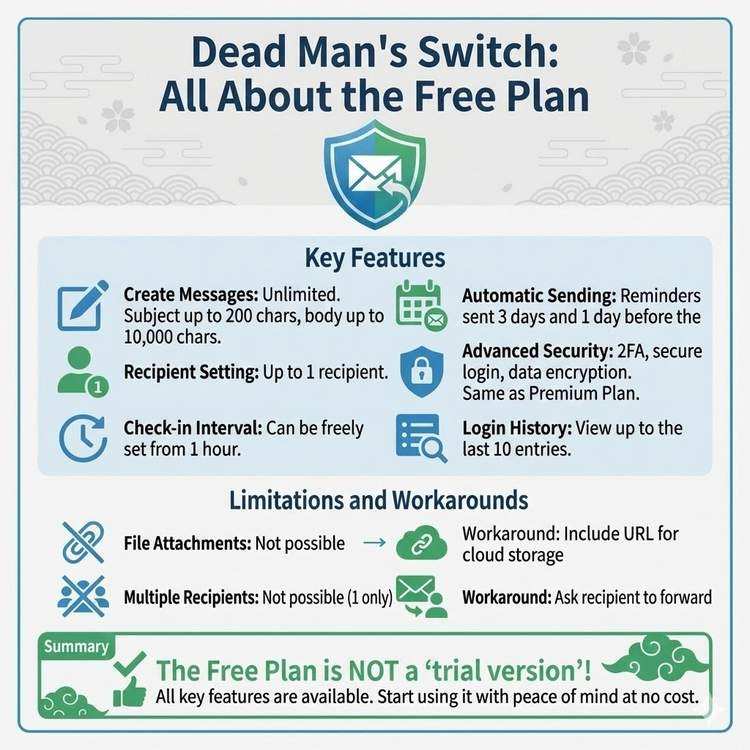
What Dead Man's Switch Free Plan Can Do
Detailed explanation of all features available in the free plan. From basic message sending to advanced security features, discover the full scope of what you can use for free.
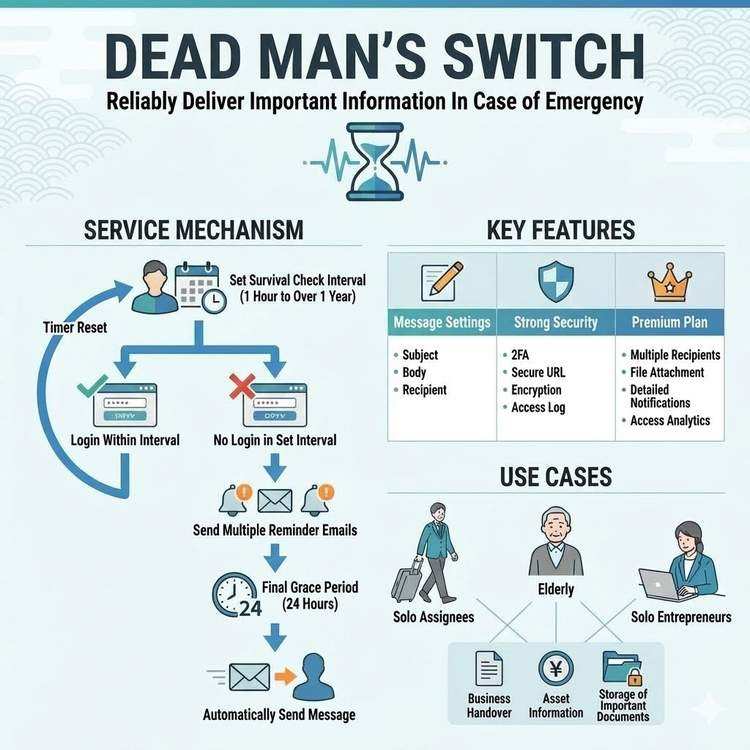
How Dead Man's Switch Works and How to Use It
A detailed explanation of Dead Man's Switch, from its technical mechanisms to practical usage. Understand the life check system and automatic delivery mechanism to use the service with confidence.
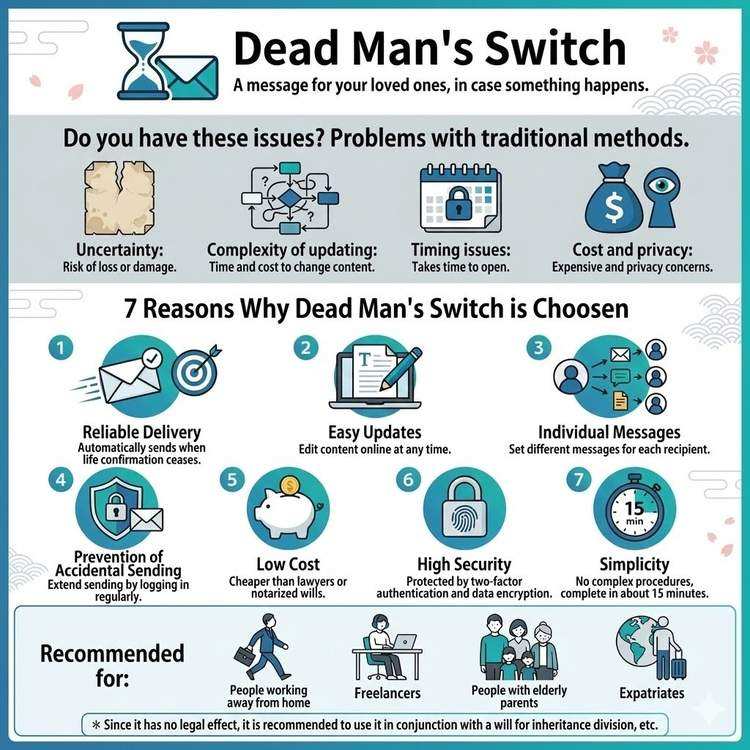
Why Choose Dead Man's Switch
Explore why Dead Man's Switch is the preferred choice and its advantages over traditional methods. Understand why so many people trust this service.