How to Organize Your Digital Legacy
What is Digital Legacy
Digital legacy refers to all assets and information that exist in digital format.
Main types of digital legacy:
1. Digital Assets with Monetary Value
- Online banking accounts
- Online securities (stocks, mutual funds)
- Cryptocurrency (Bitcoin, etc.)
- Electronic money balances (Suica, PayPay, etc.)
- Points (Rakuten Points, T-Points, etc.)
- Domains and websites
2. Data with Sentimental/Emotional Value
- Photos and videos (smartphone, cloud)
- SNS posts and messages
- Blog and note articles
- Email history
- Music and e-book libraries
3. Contracts and Service Accounts
- Subscription services
- Shopping site accounts
- Online utility payment services
- Game accounts
- Membership services
4. Work-Related Digital Assets
- Business data (documents, presentations)
- Customer information and contacts
- Project files
- Cloud storage data
It's important to properly organize these so your family can handle them in case of emergency.
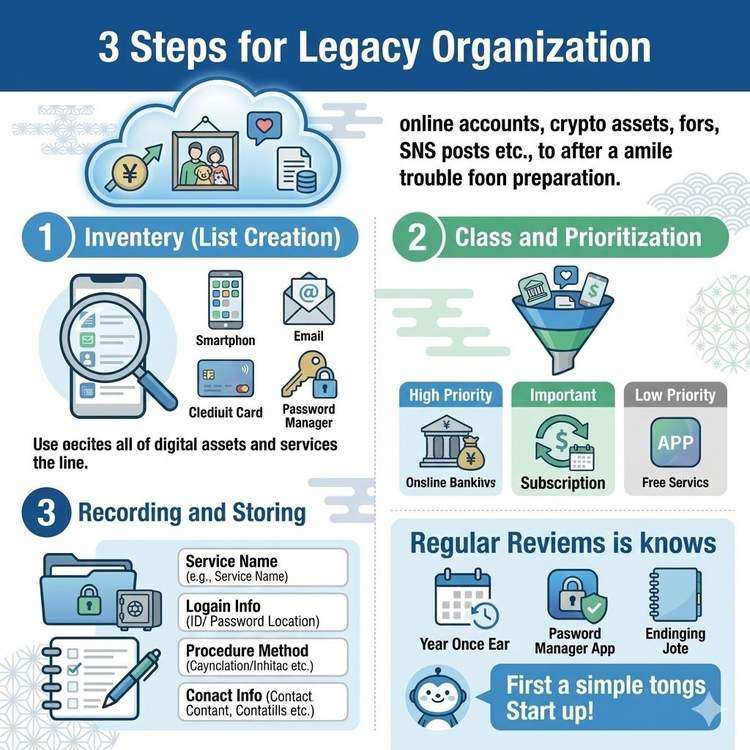
Three Steps to Organize Digital Legacy
Step 1: Inventory (Create a List)
Identify all your digital assets.
Efficient inventory methods:
A. Start with Your Smartphone
1. Check installed apps
   - Financial apps (banking, securities, payments)
   - SNS and communication apps
   - Subscription apps

2. Take notes for each app
   - App name
   - Registered email address
   - Monthly fees (if any)
   - Importance level (A/B/C)
B. Review Email History
Search keywords:
- "Registration complete"
- "Contract"
- "Payment"
- "subscription"
- "Account created"

This helps discover forgotten services.
C. Check Credit Card Statements
Review past 3 months:
- Regularly billed services
- Online shopping sites
- Digital service fees

If you see "Amazon," "Google," "Apple" in statements,
check the details of each service.
D. Use Password Management Tools
If using 1Password, LastPass, Bitwarden, etc.:
- Export saved account list
- Organize by category
- Check last login dates
Step 2: Classification and Prioritization
Classify listed digital assets by importance and type.
Classification by priority:
[TOP PRIORITY] High Monetary Value
■ Online Banking
・Bank A (balance: ¥XX million)
・Login ID: user123
・URL: https://...
・Contact: 0120-XXX-XXXX

■ Securities Account
・Bank B Securities (assets: ¥XX million)
・Login ID: ...
・Trading password: [stored separately]

■ Cryptocurrency
・Exchange name: Coincheck
・Holdings: BTC 0.5 coins
・Private key location: [to confirm]
[IMPORTANT] Services with Recurring Charges
■ Subscriptions
・Netflix (¥1,490/month)
  → Recommend cancellation

・Adobe Creative Cloud (¥6,480/month)
  → Business use, needs confirmation

・Apple iCloud (¥130/month)
  → Contains photo data, recommend keeping
[MEDIUM] Sentimental Data
■ Cloud Storage
・Google Drive (5,000 photos)
・Dropbox (work files)
・iCloud (iPhone backup)

■ SNS Accounts
・Facebook (communication with friends)
・Instagram (memory photos)
・X (post history)
[LOW] Free Services, Low Usage Frequency
■ Shopping Sites
・Amazon (purchase history only)
・Rakuten Market (check point balance)

■ Others
・Game accounts
・Free membership services
Step 3: Record and Store Information
Organize and record classified information.
Items to record:
[Service Name] XX Bank Online Banking

[Category] Financial - Top Priority

[Account Information]
・Login ID: user@example.com
・Password: [stored in password manager]
・One-time password: Token number XXXX-XXXX

[Important Information]
・Account number: 1234567
・Branch name: XX Branch
・Balance: Approximately ¥XX million

[Contact Information]
・Customer support: 0120-XXX-XXXX
・Business hours: Weekdays 9:00-17:00
・URL: https://...

[Response Method]
In case of emergency:
1. Contact customer support
2. Request inheritance procedures
3. Required documents: Family register, death certificate, bankbook/cash card

[Priority] A (immediate response required)

[Notes]
・Fixed deposit available (maturity: March 2027)
・Automatic withdrawal settings: Electricity, gas bills
Organization Methods by Category
1. Financial Accounts
Organization points:
- Record accurate balances and asset amounts
- Clearly document cancellation/inheritance procedures
- Compile multiple financial institutions into a list
Example list:
| Institution | Type | Account # | Balance | Contact | Notes |
|------------|------|-----------|---------|---------|-------|
| Bank A | Checking | 1234567 | ¥500k | 0120-XXX | Living expenses |
| Bank B | Fixed | 7654321 | ¥3M | 0120-YYY | Maturity 2027.3 |
| Securities C | Securities | - | ¥1.5M | Web | Mutual funds |
Notes:
- Strictly manage financial institution passwords
- For cryptocurrency, private key storage location is critical
- Online banks don't have passbooks, so information is harder to preserve
2. Subscription Services
Organization points:
- Confirm monthly and annual fees
- Understand auto-renewal settings
- Clarify cancellation methods
Example organization sheet:
[Subscription Management Sheet]

■ Netflix
・Monthly fee: ¥1,490 (Standard Plan)
・Payment method: Credit card
・Cancellation method: App > Account > Cancel Membership
・Action: Cancel immediately if no longer needed

■ Spotify
・Monthly fee: ¥980 (Premium Plan)
・Payment method: PayPal
・Cancellation method: Web > Account > Subscription
・Action: Consider continuing if family enjoys music

■ Adobe Creative Cloud
・Annual fee: ¥77,760 (lump sum payment)
・Next renewal: August 2026
・Cancellation method: Via Adobe official site
・Action: For business use, export data then cancel
Annual cost calculation:
Total monthly subscriptions × 12 = Annual cost
Example: Netflix ¥1,490 + Spotify ¥980 + iCloud ¥130
   = ¥2,600/month × 12 = ¥31,200/year
If charges continue after death, it creates unnecessary expenses. Always record cancellation methods.
3. SNS and Communication Accounts
Organization points:
- Specify preference for account continuation or deletion
- Utilize memorial account features
- Save downloadable data
Response methods by service:
■ Memorial Account Settings
Facebook > Settings > Memorialization Settings

・Designate memorial account manager: A family member
・If deletion preferred: "Request account deletion"

■ Download Data
Settings > Your Facebook Information > Download Information
→ Archive posts, photos, messages
・If linked to Facebook account,
  follows Facebook memorial settings

・Data download available
  Settings > Security > Download Data
LINE
・Backup chat history
  Settings > Chats > Back up chat history

・Account deletion doesn't happen automatically
  → Inform family how to delete
4. Memory Data like Photos and Videos
Organization points:
- List all storage locations
- Back up important data in multiple locations
- Distinguish data you want deleted
Data storage location checklist:
□ Smartphone device
  ・iPhone: Photos app
  ・Android: Gallery

□ Cloud Storage
  ・iCloud Photo Library
  ・Google Photos
  ・Amazon Photos
  ・Dropbox

□ Computer
  ・C drive > Pictures
  ・External HDD (storage location: ___)

□ Physical Media
  ・DVD (storage location: ___)
  ・SD cards (storage location: ___)
  ・USB drives (storage location: ___)
Importance classification:
[A: Want to Leave for Family]
→ Family photos, travel memories, children's growth records

[B: As Needed]
→ Hobby photos, daily snapshots

[C: Want Deleted]
→ Too personal photos, temporary work files
5. Work-Related Digital Data
Organization points:
- Business transition information
- Handling of customer information
- Data that must be returned to company
Record items:
■ Business Data Storage Locations
・Company server: \serversharemyname・Cloud: Google Drive (company account)
・Local: D:Work
■ Important Projects
・Project name: Company XX Website Renewal
・Progress: 60% complete
・Deadline: End of March 2026
・Transition to: Mr. Yamada (yamada@company.com)

■ Customer/Client Contacts
・Storage location: Customer management system (URL: ...)
・Login information: [to confirm]
・Important clients: Separate list created
Useful Tools for Digital Legacy Organization
1. Digital Ending Note
Dedicated ending note apps and services:
- Digital end-of-life planning apps
- Dedicated ending note notebooks
- Cloud-based ending note services
2. Password Management Tools
Centrally manage all account information:
- 1Password (paid, family sharing available)
- Bitwarden (free plan available)
- LastPass (free plan has limitations)
Advantages:
- Centralized information management
- Auto-generate strong passwords
- Access all accounts with one master password
Disadvantages:
- Master password is critical (lose everything if forgotten)
- Risk of service discontinuation
3. Dead Man's Switch
Periodic life checks and automatic message delivery:
- Send account information lists
- Instruction messages to family
- Attach important documents (Premium Plan)
Usage example:
Subject: Important Information Regarding Digital Legacy

Body:
Please handle my digital legacy organization.

I've compiled all account information and
response methods in the following documents.

Attached files:
- Account_Information_List.pdf
- Financial_Institution_Contacts.xlsx
- Digital_Photo_Storage_Locations.pdf

Please refer to each document for detailed procedures.
Importance of Regular Reviews
Digital legacy is constantly changing.
Review timing:
- Once a year (birthday or year-end)
- When registering for new services
- When canceling old accounts
- When life changes (moving, job change, etc.)
Review checklist:
□ Add new accounts to list
□ Remove unused accounts
□ Reflect password changes
□ Update balances and asset amounts
□ Confirm contact information changes
□ Reconfirm storage location with family
Conclusion: Start Digital Legacy Organization Today
You don't need to be perfect. Start with what you can do.
Three actions you can take today:
-
List smartphone apps
- Time required: 15 minutes
- Just need paper and pen
-
Check credit card statements
- Time required: 10 minutes
- Identify recurring charge services
-
Adopt a password management tool
- Time required: 20 minutes
- Can start with free version
Next steps:
- Organize financial institution information
- Create messages
- Register with Dead Man's Switch
Protect your valuable digital legacy and prepare now so your family won't struggle in case of emergency.
Share This Article
About the Author
偽弟 (Gitei)
@danna6583973613 years in IT industry, 11 years as PM/PO. Designed and operated systems with 100M monthly visits, managed teams of 40+ members. Expert in E-commerce and enterprise systems, proficient in cryptographic protocols and authentication/authorization system design. Utilizes Claude Code and Gemini AI for secure, high-quality code implementation.
Learn More About the AuthorRelated Articles
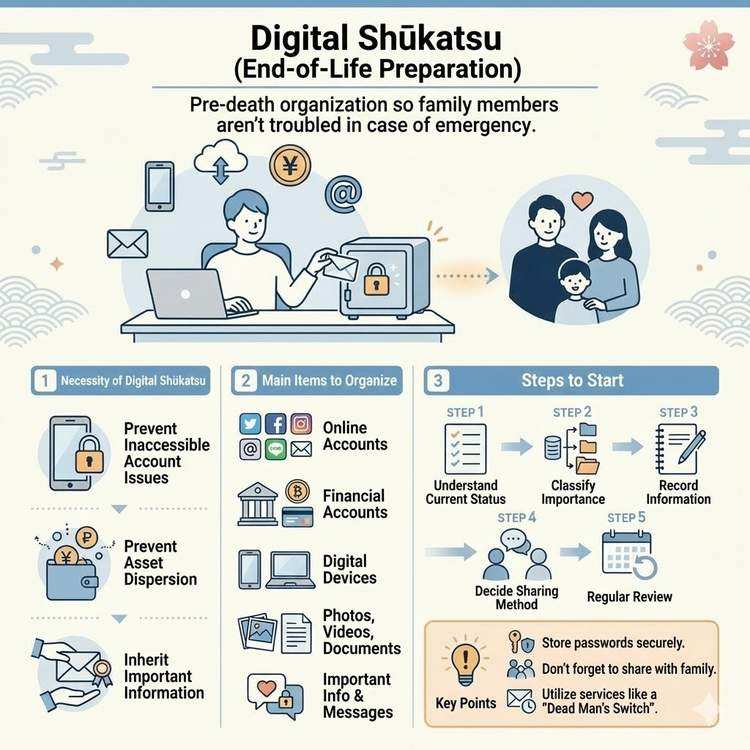
What is Digital End-of-Life Planning? A Complete Guide
Learn about digital end-of-life planning, from basic concepts to practical steps. Discover how to organize your digital legacy and manage important information for your loved ones.
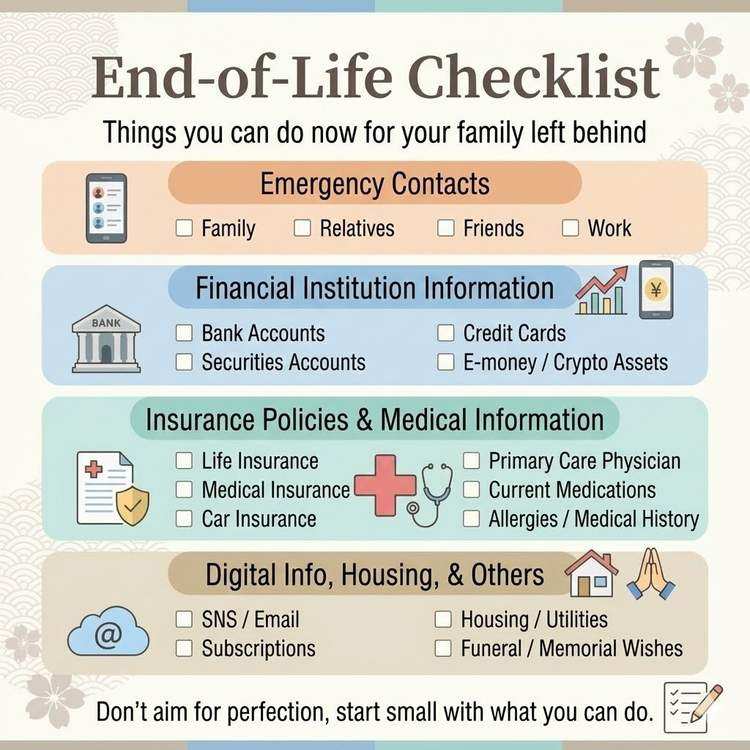
Essential Information Checklist for Your Family
A comprehensive checklist of critical information to share with your family in case of emergency. Follow this guide to ensure nothing important is overlooked.
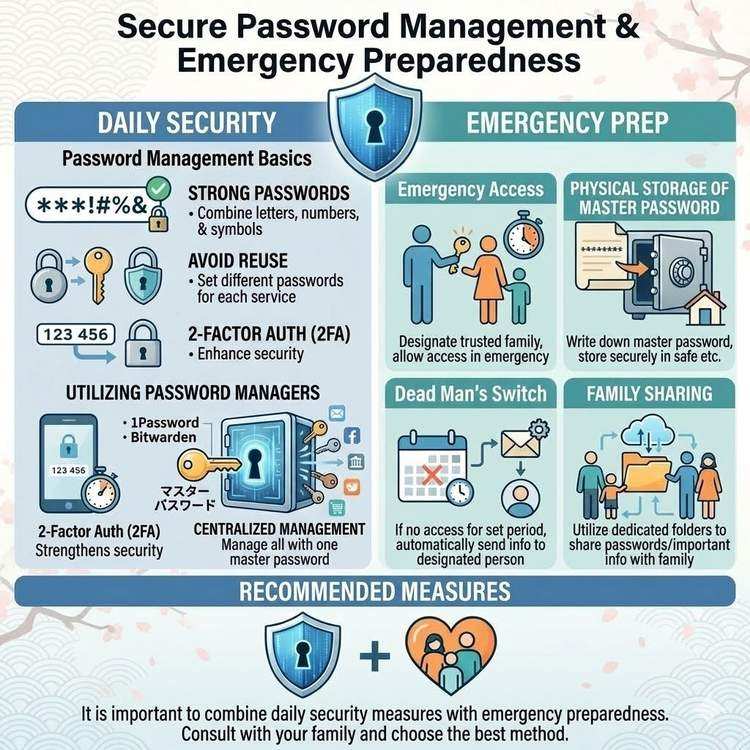
Password Management and Safe Emergency Sharing Methods
Learn how to securely manage and share passwords so your family can access critical information in an emergency. Discover practical techniques that balance security and convenience.