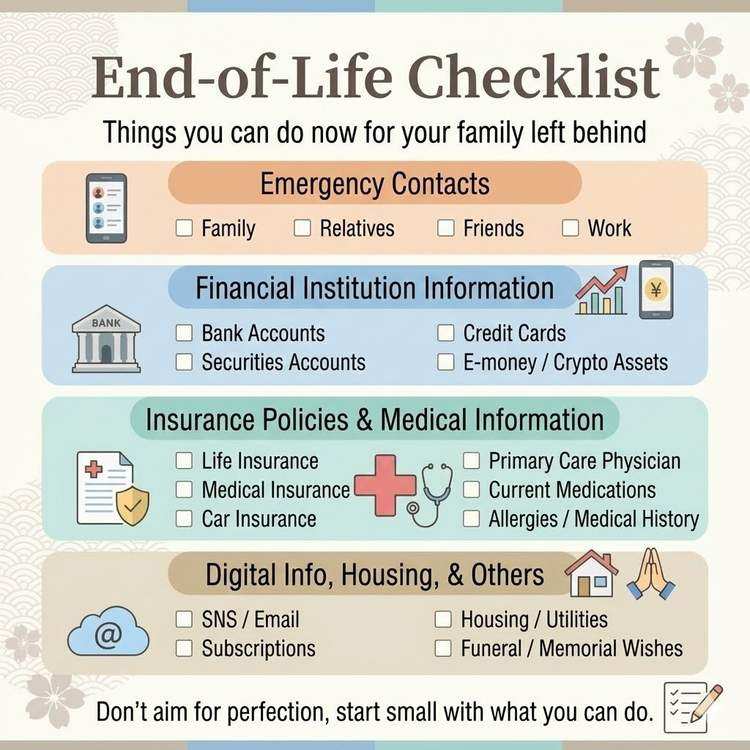
Essential Information Checklist for Your Family
Introduction: Why This Checklist Matters
In times of crisis, family members face numerous procedures and tasks while dealing with grief.
Challenges Your Family May Face:
- Not knowing where things are located
- Being unaware of existing contracts
- Not knowing whom to contact
- Unable to access information due to unknown passwords
By organizing information according to this checklist, you can significantly reduce the burden on your family.
Category 1: Financial Institution Information [TOP PRIORITY]
✅ Bank Accounts
Information to Record:
□ Bank name
□ Branch name (branch number)
□ Account type (checking/savings/time deposit)
□ Account number
□ Account holder name
□ Approximate balance
□ Location of bankbook/ATM card
□ Online banking ID
□ Customer support contact
□ Automatic payment settings
Example Entry:
■ Primary Bank
・Bank name: Chase Bank
・Branch: Manhattan Branch (Branch #123)
・Account type: Checking
・Account number: 1234567
・Balance: Approx. $15,000
・Bankbook location: Living room drawer, 2nd level
・Online banking ID: user123@example.com
・Customer support: 1-800-XXX-XXXX
・Automatic payments: Electricity, gas, water, mobile phone

■ Secondary Bank (Savings)
・Bank name: Ally Bank
・Account number: 12345-12345678
・Balance: Approx. $5,000
・Bankbook location: Safe
If You Have Multiple Accounts:
- Organize by purpose (daily expenses/savings/investment)
- Note priority order
- Include dormant accounts
✅ Securities Accounts & Investments
Information to Record:
□ Brokerage firm name
□ Branch name
□ Account number
□ General holdings overview
□ Approximate asset value
□ Login information
□ Advisor contact (if applicable)
□ Trading password
Example Entry:
■ Fidelity Investments
・Account number: 1234567890
・Holdings: 3 mutual funds, 5 stock positions
・Asset value: Approx. $20,000
・Login ID: user@example.com
・Trading password: [Stored in password manager]
・Support: 1-800-XXX-XXXX
✅ Credit Cards
Information to Record:
□ Card issuer name
□ Card number (last 4 digits acceptable)
□ Cardholder name
□ Expiration date
□ Annual fee (if any)
□ Credit limit
□ Lost/stolen contact number
□ Recurring payment settings
Example Entry:
■ Primary Card
・Card: Chase Sapphire Preferred
・Number: **** **** **** 1234
・Annual fee: $95 (charged every April)
・Lost card hotline: 1-800-XXX-XXXX
・Recurring payments: Netflix, Spotify, Adobe

■ Secondary Card
・Card: American Express Blue Cash
・Number: **** **** **** 5678
・Annual fee: None
・Recurring payments: Amazon Prime
Important Notes:
- Use caution when recording full card numbers
- Encrypt when possible
- Store securely
✅ Digital Wallets & Payment Apps
Information to Record:
□ Service name (Venmo, PayPal, Apple Pay, etc.)
□ Registered email address/phone number
□ Approximate balance
□ Linked credit cards
□ Login method
□ Auto-reload settings
Example Entry:
□ PayPal
  └ Email: user@example.com
  └ Balance: Approx. $50
  └ Linked card: Chase Sapphire

□ Apple Pay
  └ Registered on iPhone
  └ Linked card: American Express
✅ Cryptocurrency
Information to Record:
□ Exchange name
□ Currency types held
□ Approximate quantity/value
□ Login information
□ Private key storage location (CRITICAL)
□ Hardware wallet (if applicable)
Example Entry:
■ Coinbase
・Holdings: 0.5 Bitcoin
・Login ID: user@example.com
・2FA: Google Authenticator
・Private keys: Sealed envelope in safe

■ Hardware Wallet
・Type: Ledger Nano S
・Storage location: Home safe
・Recovery phrase: Separate envelope in safe
CRITICAL: Private keys and recovery phrases are the most important information. Always back up in multiple secure locations to prevent loss.
Category 2: Insurance Policies [HIGH PRIORITY]
✅ Life Insurance
Information to Record:
□ Insurance company name
□ Policy type (term/whole life/universal, etc.)
□ Policy number
□ Policyholder name
□ Insured person name
□ Beneficiary
□ Coverage amount
□ Premium (monthly/annual)
□ Policy period
□ Agent contact information
□ Policy document location
Example Entry:
■ Primary Policy
・Company: MetLife
・Type: Whole life insurance
・Policy number: XXXX-XXXX-XXXX
・Insured: Self
・Beneficiary: Spouse
・Coverage: $100,000
・Premium: $150/month
・Agent: John Smith (Tel: 555-XXX-XXXX)
・Documents: Living room drawer

■ Riders
・Accidental death rider: $50,000
・Disability waiver of premium
✅ Health Insurance & Disability Insurance
Information to Record:
□ Insurance company name
□ Policy number
□ Coverage details
□ Premium
□ Policy document location
✅ Auto Insurance & Homeowners Insurance
Information to Record:
□ Insurance company name
□ Policy number
□ Coverage period
□ Premium
□ Renewal date
□ Claims contact number
Category 3: Digital Accounts [MEDIUM PRIORITY]
✅ Email Accounts
Information to Record:
□ Email service (Gmail, Outlook, etc.)
□ Email address
□ Password (or storage location)
□ 2FA setup status
□ Important email senders
□ Emails to delete
Example Entry:
□ Primary Email
  └ Gmail: user@gmail.com
  └ Password: Stored in password manager
  └ 2FA: Google Authenticator
  └ Important: Bank, brokerage, insurance emails

□ Work Email
  └ Company email: user@company.com
  └ Access: Company PC only
  └ Contact: HR department (Tel: XX-XXXX-XXXX)
✅ Social Media Accounts
Information to Record:
□ Service name
□ Account name/ID
□ Login information
□ Preference: delete or memorialize
□ Data to download
Example Entry:
□ Facebook
  └ Login: user@example.com
  └ Preference: Convert to memorial account
  └ Manager: Spouse (facebook.com/spouse)

□ Instagram
  └ Account: @username
  └ Preference: Download photos, then delete

□ X (formerly Twitter)
  └ Account: @username
  └ Preference: Keep as is

□ WhatsApp
  └ Phone: 555-XXX-XXXX
  └ Preference: Backup chat history, then delete
✅ Subscription Services
Information to Record:
□ Service name
□ Monthly cost
□ Payment method
□ Subscriber name
□ Login information
□ Cancellation process
□ Preferred action (continue or cancel)
Example Entry:
■ Cancel Immediately
□ Netflix ($14.99/month)
  └ Payment: Credit card
  └ Cancellation: App > Account > Cancel Membership

□ Adobe Creative Cloud ($52.99/month)
  └ Next renewal: August 2026
  └ Cancellation: Adobe official website

■ Consider Continuing
□ iCloud ($0.99/month)
  └ Contains photo data
  └ Family sharing available
✅ Cloud Storage
Information to Record:
□ Service name
□ Stored data description
□ Storage capacity
□ Login information
□ Important folder locations
Example Entry:
□ Google Drive
  └ Capacity: 100GB (70GB used)
  └ Important folders:
    - Family photos (/Photos/Family/)
    - Important documents (/Documents/Important/)
    - Password list (/Private/passwords.xlsx)

□ Dropbox
  └ Capacity: 2GB
  └ Contents: Work-related files
  └ Action: Contact company
Category 4: Housing & Utilities [MEDIUM PRIORITY]
✅ Housing Information
Information to Record:
[If You Own Your Home]
□ Property address
□ Deed location
□ Mortgage status
□ Lender name & balance
□ Mortgage insurance status
□ Property tax payment method

[If You Rent]
□ Property management company & contact
□ Landlord contact
□ Lease agreement location
□ Security deposit information
□ Rent payment method
□ Lease renewal date
✅ Utilities
Information to Record:
□ Electricity: Company name, account number, payment method
□ Gas: Company name, account number, payment method
□ Water: Company name, account number, payment method
□ Internet: ISP, plan details
□ Mobile phone: Carrier, plan details, cancellation process
Category 5: Medical & Healthcare Information [HIGH PRIORITY]
✅ Primary Care Physicians
Information to Record:
□ Medical facility name
□ Department/specialty
□ Doctor's name
□ Contact information
□ Visit frequency
□ Main conditions/treatment
Example Entry:
□ Primary Care
  └ City Medical Clinic
  └ Doctor: Dr. John Smith
  └ Tel: 555-XXX-XXXX
  └ Visits: Monthly (2nd Saturday)
  └ Treatment: Hypertension, diabetes

□ Dentist
  └ Downtown Dental
  └ Tel: 555-YYY-YYYY
  └ Visits: Twice yearly (checkups)
✅ Current Medications
Information to Record:
□ Medication name
□ Dosage & frequency
□ Prescribing physician/hospital
□ Reason for prescription
□ Side effects (if any)
Example Entry:
□ Blood pressure medication: Amlodipine 5mg
  └ Dosage: 1 tablet every morning
  └ Prescribed by: City Medical Clinic
  └ Reason: Hypertension treatment

□ Diabetes medication: Metformin 500mg
  └ Dosage: 1 tablet after each meal (3x daily)
  └ Prescribed by: City Medical Clinic
✅ Allergies & Medical History
Information to Record:
□ Allergies (medications, foods, etc.)
□ Past illnesses/surgeries
□ Current chronic conditions
□ Blood type
□ Emergency contact information (ICE card)
Category 6: Emergency Contacts [HIGHEST PRIORITY]
✅ Family & Relatives
Information to Record:
□ Name
□ Relationship
□ Phone number
□ Email address
□ Home address
□ Emergency priority order
Example Entry:
1. Spouse: Jane Doe
   └ Tel: 555-XXX-XXXX
   └ Email: jane@example.com
   └ Address: Same residence

2. Son: John Doe Jr.
   └ Tel: 555-YYY-YYYY
   └ Address: New York, NY

3. Parents
   └ Tel: 555-ZZZ-ZZZZ
   └ Father: Robert Doe (80 years old)
   └ Mother: Mary Doe (78 years old)
✅ Friends & Acquaintances
Information to Record:
□ Name
□ Relationship
□ Contact information
□ Reason to contact
✅ Work Contacts
Information to Record:
□ Company name & department
□ Supervisor contact
□ HR department contact
□ Major clients
□ Ongoing projects
Category 7: Funeral & Memorial Preferences [MEDIUM PRIORITY]
✅ Funeral Preferences
Information to Record:
□ Funeral size (private/standard service)
□ Religion/denomination
□ Place of worship information
□ Preferred funeral home
□ Budget
□ Guest list
□ Photo for memorial service location
Example Entry:
□ Funeral size: Private service (30 people)
□ Religion: Christian (Methodist)
□ Church: First Methodist Church (Tel: 555-XXX-XXXX)
□ Funeral home: No preference (family to decide)
□ Budget: $10,000-$15,000
□ Memorial photo: Select from "Memorial Photos" folder on phone
✅ Burial/Cremation
Information to Record:
□ Cemetery plot (if owned)
□ Cemetery location
□ Cemetery name & plot number
□ Headstone information
□ Maintenance fee payment method
Category 8: Other Important Information
✅ Pets
Information to Record:
□ Pet type & name
□ Age
□ Veterinarian clinic
□ Medical conditions/medications
□ Potential caretakers
□ Pet insurance information
✅ Hobbies & Collections
Information to Record:
□ Valuable collections
□ Storage location
□ Approximate value
□ Disposal preferences
How to Use This Checklist
Step 1: Print or Copy
Method A: Paper Management
・Print this checklist
・Fill in by hand
・Store securely in safe

Method B: Digital Management
・Copy to Excel or Google Sheets
・Fill in on computer
・Store in password manager or encrypted file

Method C: Dead Man's Switch Management
・Paste checklist into message body
・Fill in information
・Set up automatic delivery
Step 2: Fill In What You Can
Priority Order:
1. Emergency contacts (immediately)
2. Financial institution information (this week)
3. Insurance policies (this month)
4. Digital accounts (within 2 months)
5. Everything else (gradually)
Step 3: Update Regularly
Update Schedule:
・Annually: Complete review
・As changes occur: Update immediately
・On birthdays: Make it a habit to check
Step 4: Share with Family
Sharing Methods:
・Tell them storage location
・Register with Dead Man's Switch
・Review together annually
Conclusion: Perfection Isn't Required
This checklist is comprehensive, but you don't need to complete everything perfectly.
What You Can Do Today:
- Write down 3 emergency contacts
- Record your primary bank account information
- Note one insurance policy
What You Can Do This Week: 4. List all bank accounts 5. Organize credit card information 6. Check subscription services
What You Can Do This Month: 7. Organize digital accounts 8. Fill in medical information 9. Write funeral preferences
Start small and work gradually through what you can accomplish.
Share This Article
About the Author
偽弟 (Gitei)
@danna6583973613 years in IT industry, 11 years as PM/PO. Designed and operated systems with 100M monthly visits, managed teams of 40+ members. Expert in E-commerce and enterprise systems, proficient in cryptographic protocols and authentication/authorization system design. Utilizes Claude Code and Gemini AI for secure, high-quality code implementation.
Learn More About the AuthorRelated Articles
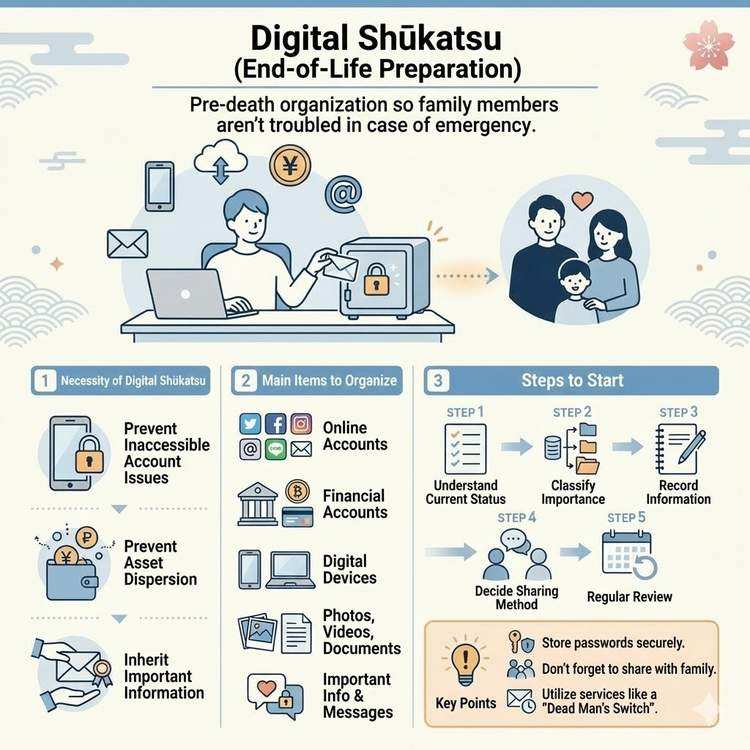
What is Digital End-of-Life Planning? A Complete Guide
Learn about digital end-of-life planning, from basic concepts to practical steps. Discover how to organize your digital legacy and manage important information for your loved ones.
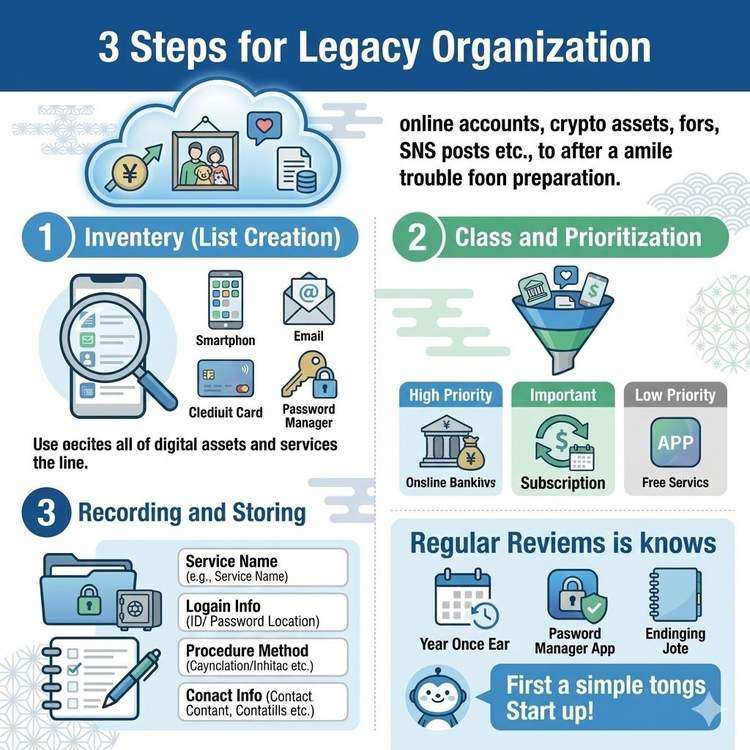
How to Organize Your Digital Legacy
Learn efficient methods for organizing your digital legacy. Discover how to manage often-overlooked digital assets including SNS accounts, cloud data, and online accounts.
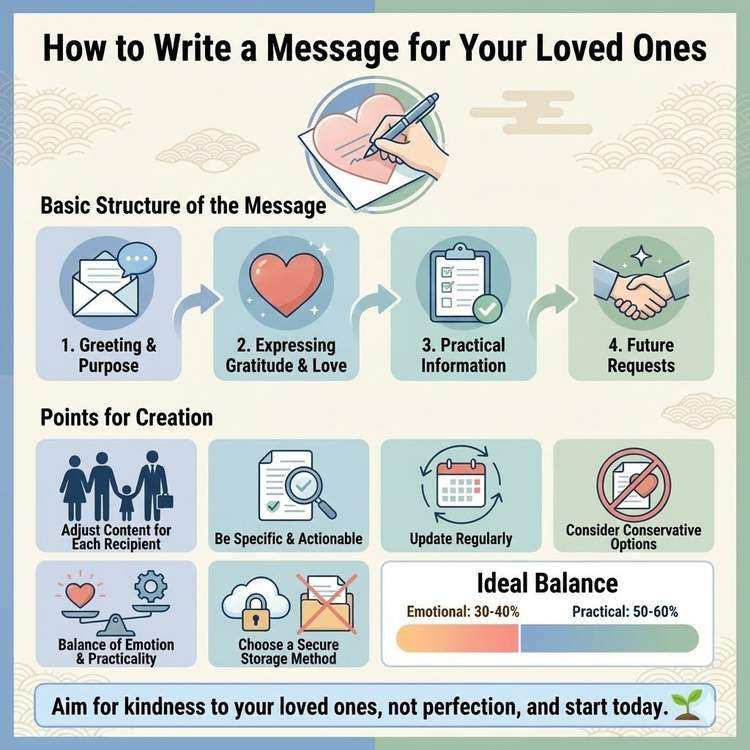
Key Points for Creating Messages for Emergencies
Learn how to write messages for loved ones, from emotional content to practical information. Discover the essential content and effective structure for your messages.