How to Combine Ending Notes with Dead Man's Switch
Differences Between Ending Notes and Dead Man's Switch
What is an Ending Note?
Characteristics:
✅ Paper notebook format
✅ Handwritten entries
✅ Many commercial products
✅ Record your life and wishes
✅ No legal binding
Main Contents:
- Personal history and memories
- Messages to family
- Medical and care preferences
- Funeral wishes
- Asset list
- Important contacts
What is Dead Man's Switch?
Characteristics:
✅ Digital service
✅ Online management
✅ Auto-send function
✅ Easy to update regularly
✅ Guaranteed delivery
Main Uses:
- Emergency contacts
- Password sharing
- Practical information transfer
- Digital asset handover
- Individual messages to multiple people
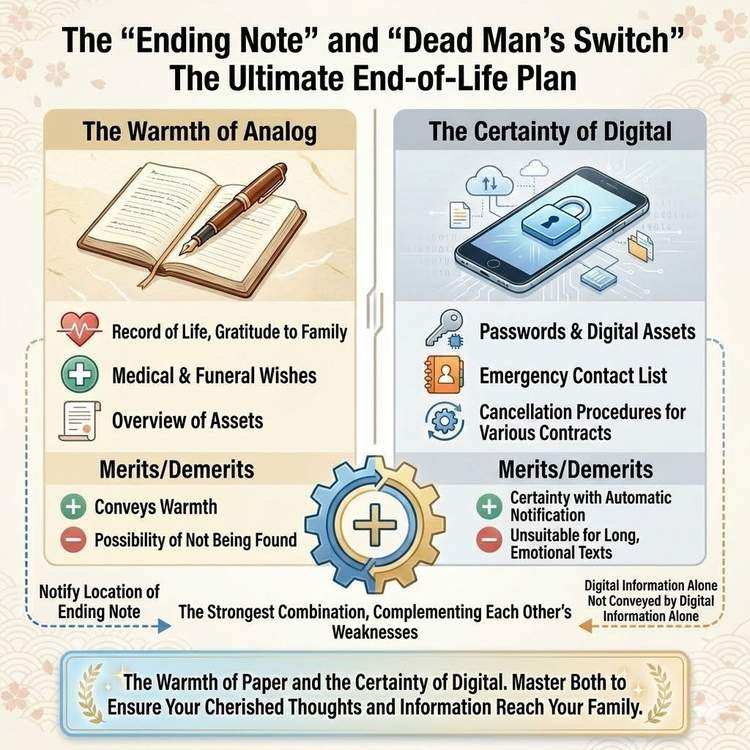
Why Combining is Effective
Leveraging Each Strength
Ending Note Strengths:
✅ Warmth of handwriting
✅ Can write at leisure
✅ Can attach photos
✅ No internet required
✅ Familiar to elderly
✅ Can view together with family
Dead Man's Switch Strengths:
✅ Guaranteed delivery
✅ Can update anytime
✅ Perfect for frequently changing info like passwords
✅ Individual messages to multiple people
✅ Flexible timing settings
✅ Secure storage
Complementing Each Other's Weaknesses
Ending Note Weaknesses → Complemented by Dead Man's Switch:
❌ Might not be found
→ ✅ Dead Man's Switch notifies of storage location

❌ Unclear when to open
→ ✅ Auto-sends in emergencies

❌ Updates are tedious
→ ✅ Frequently changing info managed in Dead Man's Switch
Dead Man's Switch Weaknesses → Complemented by Ending Note:
❌ Hard for digitally unfamiliar family to read
→ ✅ Ending Note provides supplementary explanation

❌ Less suitable for long or emotional content
→ ✅ Ending Note for detailed writing

❌ Requires internet
→ ✅ Ending Note physically remains
Effective Combined Usage Methods
Basic Role Division
What to Write in Ending Note:
[Life Record & Memories]
✅ Personal history
✅ Precious memories
✅ Family history
✅ Feelings of gratitude

[Long Messages]
✅ Letters to family
✅ Life lessons
✅ Sharing values

[Wishes & Intentions]
✅ Medical and care preferences
✅ Funeral wishes
✅ About burial

[Basic Information Lists]
✅ Asset overview
✅ Insurance contracts
✅ Important contacts
What to Write in Dead Man's Switch:
[Urgent Information]
✅ Subscriptions to cancel immediately
✅ Emergency contacts
✅ Funeral home contact

[Frequently Changing Information]
✅ Passwords
✅ Bank balances
✅ Contract renewal status
✅ Digital accounts

[Digital Information]
✅ Online accounts
✅ Cloud data locations
✅ Password management tool information

[Practical Procedures]
✅ Inheritance procedure flow
✅ Specific cancellation methods
✅ Data download methods

[Individual Messages to Multiple People]
✅ Detailed info for spouse
✅ Individual messages for children
✅ Business partner handovers
Setting Up Cross-References
From Ending Note to Dead Man's Switch:
[Ending Note Example Entry]

■ About Digital Information

Passwords, online accounts, and other
frequently changing information are registered
in a service called "Dead Man's Switch."

In an emergency, emails will be sent automatically.
Email address: family@example.com

[IMPORTANT]
Emails from Dead Man's Switch include:
· Bank account passwords
· Online service login information
· Digital photo storage locations
· Password management tool information

For detailed usage, refer to page XX of this notebook.
From Dead Man's Switch to Ending Note:
[Dead Man's Switch Message Example]

Subject: Critical Information for Emergencies

Body:
This message compiles urgent information and
online account details.

■ Ending Note Location
Living room bookshelf, 3rd from left
Blue cover notebook

The Ending Note contains:
· Record of my life
· Messages to family
· Funeral wishes
· Asset overview
· Important contacts

Please read the Ending Note first, then
review the detailed information in this message.

■ Urgent Actions Required
[Information requiring immediate action]

■ Password Information
[Online account details]
Specific Combined Usage Scenarios
Scenario 1: Asset Information Management
Ending Note:
■ Asset Overview

[Real Estate]
· Home: 1-2-3 XX Town, ○○ Ward, Tokyo
· Estimated value: ~50,000,000 yen
· Mortgage: Fully paid
· Deed storage: Safe

[Deposits/Savings]
· ○○ Bank: ~5,000,000 yen
· △△ Bank: ~3,000,000 yen
· Japan Post Bank: ~1,000,000 yen

For detailed account numbers and online banking
passwords, check the Dead Man's Switch message.
Dead Man's Switch:
■ Bank Account Details

[○○ Bank]
· Branch: Shinjuku Branch (Branch No: 123)
· Account Type: Ordinary Savings
· Account Number: 1234567
· Balance: ~5,000,000 yen (as of January 2024)
· Online Banking:
  ID: user123
  Password: [stored in password management tool]
· Customer Support: 0120-XXX-XXXX

[Inheritance Procedure Flow]
1. Call customer support
2. Declare inheritance procedure
3. Required documents:
   · Death certificate
   · Family register
   · Seal certificates of all heirs
4. Process completes ~2 weeks after document submission
Scenario 2: Medical & Care Preferences
Ending Note:
■ About Medical Care

[Life-Prolonging Treatment]
· Ventilator: Do not want
· Feeding tube: Do not want
· CPR: Do not want

[Disclosure]
· Condition: Want to know
· Prognosis: Want to know

[Organ Donation]
· Willing to donate
· Organs available: All

[Care]
· Prefer home care
· Facility only if unavoidable

Please don't overburden yourselves.

[Regular Doctor]
· Hospital: ○○ Internal Medicine Clinic
· Doctor: Dr. Taro Yamada
· Phone: 03-XXXX-XXXX

For details on current medications, check
Dead Man's Switch message.
Dead Man's Switch:
■ Detailed Medical Information

[Regular Doctor]
· ○○ Internal Medicine Clinic
· Doctor: Dr. Taro Yamada
· TEL: 03-XXXX-XXXX
· Appointments: Every 2nd Saturday 10:00

[Current Conditions/Treatment]
· Hypertension (since 2015)
· Diabetes (since 2018)
· Regular checkups: Every 3 months

[Current Medications]
1. Amlodipine 5mg
   Dosage: 1 tablet after breakfast daily
   Prescribed by: ○○ Internal Medicine

2. Metformin 500mg
   Dosage: 1 tablet after each meal (3 times daily)
   Prescribed by: ○○ Internal Medicine

[Allergies]
· Penicillin-based antibiotics

[Past Surgeries]
· 2010: Appendectomy
· 2015: Gallstone surgery

[Emergency Contacts]
· Primary physician: Dr. Taro Yamada (TEL: 090-XXXX-XXXX)
· Family: Wife Hanako (TEL: 090-YYYY-YYYY)
Scenario 3: Funeral Wishes
Ending Note:
■ About Funeral

[Scale]
· Family funeral (~30 people)
· Relatives and close friends only

[Religion]
· Buddhism (Jodo Shinshu)
· Family temple: ○○ Temple

[Location]
· No specific preference
· Family can decide

[Cost]
· Budget: 1,000,000-1,500,000 yen
· Keep it simple

[Memorial Photo]
· Select from smartphone "Memorial Photo Candidates" folder
· Prefer smiling photo

[Farewell Words]
Here I reflect on my life and
record my gratitude to family...
(long message)

For funeral home details and
list of people to invite, check
Dead Man's Switch message.
Dead Man's Switch:
■ Specific Funeral Arrangements

[Funeral Home]
· Company: ○○ Funeral Services
· Contact: Jiro Sato
· TEL: 03-XXXX-XXXX
· Pre-consultation completed (January 2024)
· Estimate: ~1,200,000 yen

[Family Temple]
· Temple: ○○ Temple
· Priest: Priest Tanaka
· TEL: 03-YYYY-YYYY
· Posthumous name: Pre-consulted

[People to Invite List]
1. Relatives (15 people)
   · Eldest son's family: 4 people
   · Daughter's family: 3 people
   · Siblings: 3 people
   · Nieces/nephews: 5 people

2. Friends (10 people)
   · College friends: Taro Yamada (TEL: 090-XXXX-XXXX)
   · Company colleagues: Ichiro Suzuki (TEL: 090-YYYY-YYYY)
   ...(contact list)

3. Work-related (5 people)
   · Supervisor: Department Head ○○ (TEL: ○○)
   ...

[Memorial Photo]
· Storage: iCloud Photo Library
· Album name: "Memorial Photo Candidates"
· Recommended: 2023 family trip photo

[Day-of Flow]
1. Contact funeral home (highest priority)
2. Contact family temple
3. Contact relatives
4. Contact friends and work connections
Practical Combined Usage Steps
Step 1: Obtain and Fill Out Ending Note
Recommended Ending Notes:
· Kokuyo "Useful Notebook for Emergencies"
· Discover "Ending Note"
· Or self-made (free writing in notebook)
Writing Tips:
1. Don't try to write everything at once
2. Start with easy sections
3. Use pencil (allows corrections)
4. Complete in 15 min/day × 1 week
Step 2: Register with Dead Man's Switch
1. Create account (3 minutes)
2. Note Ending Note storage location
3. Record frequently changing information
4. Set check interval
Step 3: Set Up Cross-References
In Ending Note:
Create "About Dead Man's Switch" page

In Dead Man's Switch:
Note "Ending Note Location"
Step 4: Explain to Family
Hold family meeting:

1. Share Ending Note existence
   "It's in the living room bookshelf"

2. Explain Dead Man's Switch
   "In emergencies, emails will arrive automatically"

3. Explain both roles
   "Ending Note for basic info,
    Dead Man's Switch for latest info"

4. Answer questions
Step 5: Regular Review
Once per year:

□ Review Ending Note
  · Anything to add?
  · Any changed information?

□ Update Dead Man's Switch
  · Are passwords current?
  · Any new accounts?

□ Confirm with family
  · Do they remember storage location?
  · Do they understand usage?
Summary: The Ultimate End-of-Life Plan
Combining Ending Notes with Dead Man's Switch creates the most reliable and flexible end-of-life plan.
Benefits of Combination:
✅ Balance warmth with reliability
✅ Coexistence of latest info and unchanging sentiments
✅ Leverage analog and digital strengths
✅ Accommodates wide age range
✅ Balance security and convenience
Combined Plan Starting Today:
[This Week]
· Purchase Ending Note
· Register with Dead Man's Switch
· Record basic information

[This Month]
· Complete Ending Note
· Add detailed info to Dead Man's Switch
· Explain to family

[Ongoing]
· Annual review
· Update immediately when changes occur
· Regular confirmation with family
The warmth of paper and the reliability of digital. Use both to leave messages for loved ones.
Share This Article
About the Author
偽弟 (Gitei)
@danna6583973613 years in IT industry, 11 years as PM/PO. Designed and operated systems with 100M monthly visits, managed teams of 40+ members. Expert in E-commerce and enterprise systems, proficient in cryptographic protocols and authentication/authorization system design. Utilizes Claude Code and Gemini AI for secure, high-quality code implementation.
Learn More About the AuthorRelated Articles
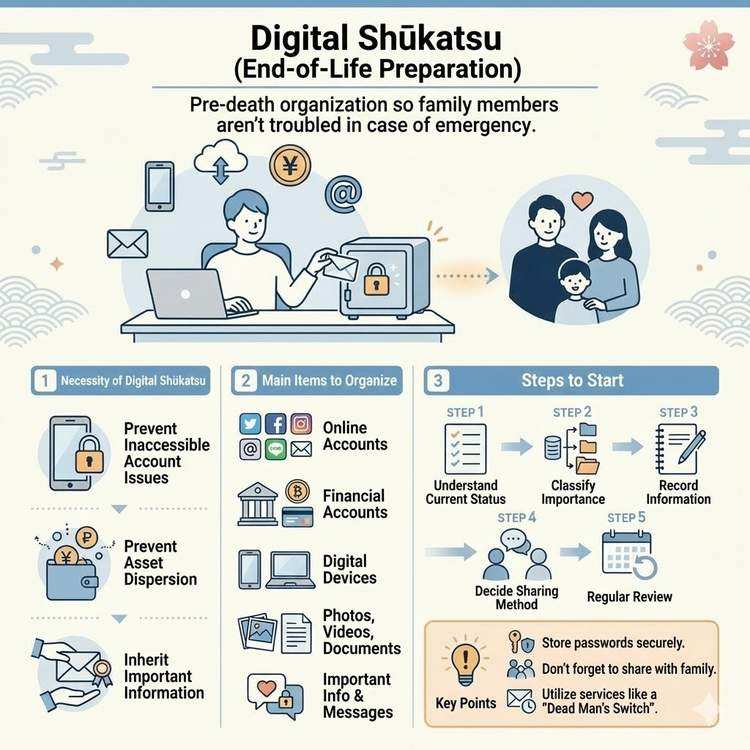
What is Digital End-of-Life Planning? A Complete Guide
Learn about digital end-of-life planning, from basic concepts to practical steps. Discover how to organize your digital legacy and manage important information for your loved ones.
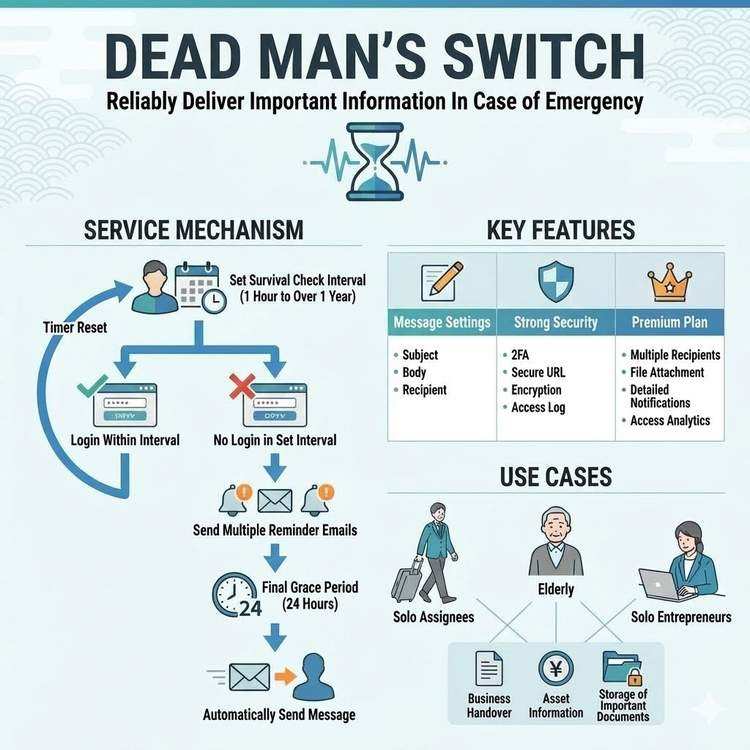
How Dead Man's Switch Works and How to Use It
A detailed explanation of Dead Man's Switch, from its technical mechanisms to practical usage. Understand the life check system and automatic delivery mechanism to use the service with confidence.
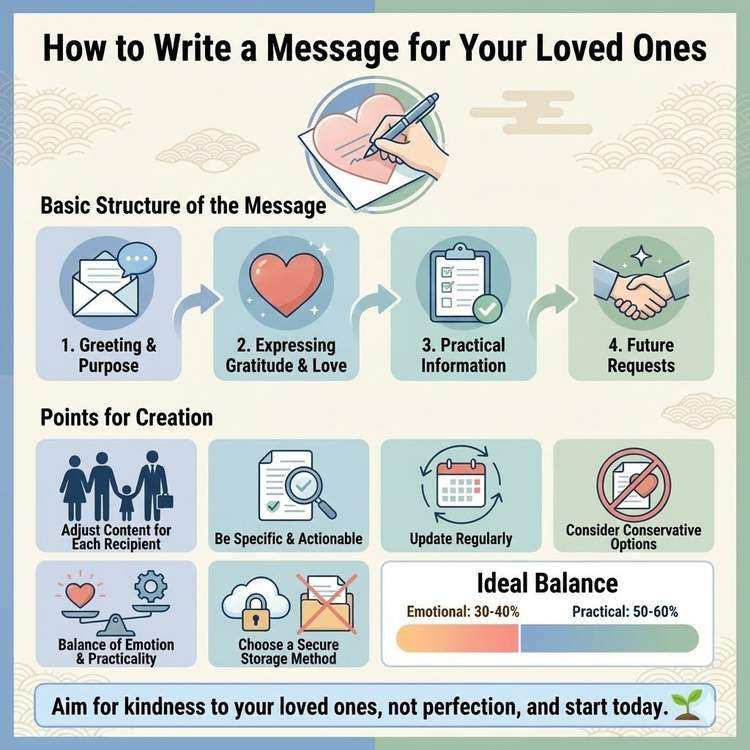
Key Points for Creating Messages for Emergencies
Learn how to write messages for loved ones, from emotional content to practical information. Discover the essential content and effective structure for your messages.